
CAD Compliance Made Simple: Audit Trails Without the Headache
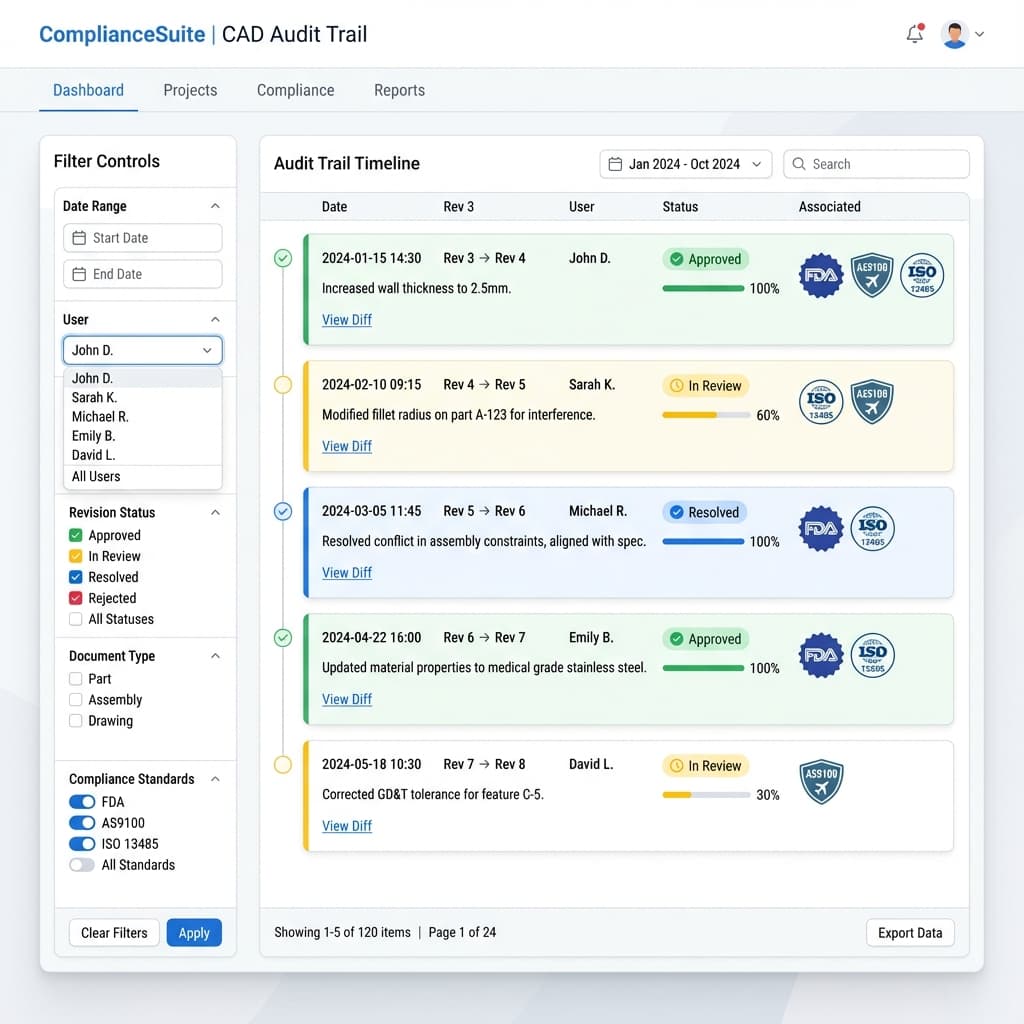
When the FDA auditor asks "show me every change made to this device between Rev 3 and Rev 7," you'd better have an answer. And "let me search my emails" isn't it.
Regulated industries—medical devices, aerospace, automotive—require documentation of what changed, when, why, and who approved it. Most teams cobble this together with spreadsheets, email archives, and PDM systems that weren't designed for visualization workflows.
Note: This post is informational and not legal advice. Compliance requirements vary by industry and company—validate specifics with your QA/regulatory team.
The Compliance Documentation Challenge
Engineering teams in regulated industries face multiple documentation requirements:
- FDA 21 CFR Part 11: Design controls, change documentation, electronic signatures
- ISO 13485: Quality management for medical devices, design history file
- AS9100: Aerospace quality management, configuration control
- IATF 16949: Automotive quality, design change records
- ITAR: Defense export controls, access logging, nationality verification
Common thread: you must prove what happened at each stage of design.
Where Current Workflows Fail
| Workflow Step | Compliance Gap |
|---|---|
| Design review via email | Comments scattered across threads; no single source of truth |
| Feedback in Slack/Teams | Messages deleted, channels archived, not audit-friendly |
| Screenshot markup PDFs | No timestamp verification; can be modified; no chain of custody |
| Shared CAD via Dropbox | No access logging; can't prove who saw what version |
| Meeting verbal approvals | "We agreed on this in the call" isn't auditable |
What Auditors Actually Want
When an auditor reviews your design history file, they're looking for:
- Change records: What was changed between versions
- Timestamps: When did each change happen
- Attribution: Who made or requested each change
- Approval evidence: Who reviewed and approved
- Rationale: Why was this change made (not just what)
How Spatial Comments Create Audit Trails
When design review happens through a 3D viewer with spatial commenting:
Every Comment is Logged
- User ID + timestamp + exact 3D location + camera angle
- Full text of comment preserved
- Thread replies tracked with their own timestamps
Resolution is Documented
- Comment status: Open → In Progress → Resolved
- Who resolved it and when
- Optional: link resolution to specific CAD revision
Version Comparisons are Captured
- Comments from Rev 3 remain visible when viewing Rev 7
- Auditors can see the evolution of feedback
- Export full comment history as an audit artifact
Access Control for Sensitive Data
For ITAR-controlled or confidential designs:
- View tracking: Log every user who accessed a project, when, and for how long
- Link expiration: Automatic access revocation after set period
- Geography restrictions: Optional geo controls to support export-control policies
- Zero-retention processing: Files processed in memory only, not stored to disk
See: Zero-Trust Sharing for architecture details.
The Geometry-Lock Compliance Story
If you use AI-assisted visualization, auditors may ask: "How do you know the render matches the approved CAD?"
With geometry-locked generation:
- Output is designed to stay aligned with input CAD
- Visual modifications (materials, lighting) cannot alter silhouettes
- Verification pass confirms pixel-level accuracy
- Auditor can trust that the render represents the actual design
Exportable Compliance Artifacts
For design history files, you should be able to export:
Key Takeaways
- ✓Regulated industries require documented change history
- ✓Email and chat aren't audit-friendly
- ✓Spatial comments with timestamps create audit-friendly records automatically
- ✓Access logging proves chain of custody for sensitive designs
FAQ
How do audit trail comments appear in an audit report?
When using spatial commenting for design reviews, each comment is automatically logged with timestamp, user ID, exact 3D location, and resolution status. For audit reports, you can export this as a structured CSV or PDF showing: who said what, when, about which feature, and how it was resolved—providing the traceability auditors require.
Does this replace our PDM system?
No—PDM manages CAD files and revisions. This handles the visualization and review layer, which PDM typically doesn't track well.
Can we get electronic signatures on approvals?
Enterprise plans often include e-signature integration. Check if your platform supports 21 CFR Part 11 compliant signatures.
What about data residency requirements?
For ITAR or EU data requirements, ask about regional hosting options. Some platforms offer US-only or EU-only infrastructure.
How do I prove the audit trail hasn't been tampered with?
Look for platforms that provide immutable logs—once a comment is created, it cannot be silently deleted or modified. Enterprise platforms often include cryptographic timestamps or blockchain-backed audit trails for maximum integrity.
Pass your next audit. Automatically.
Reific captures who approved what, when, and why—so your review history is audit-friendly without spreadsheets or inbox archaeology.
Learn About Compliance Features