
Zero-Trust Sharing: The Secure Way to Share 3D Models
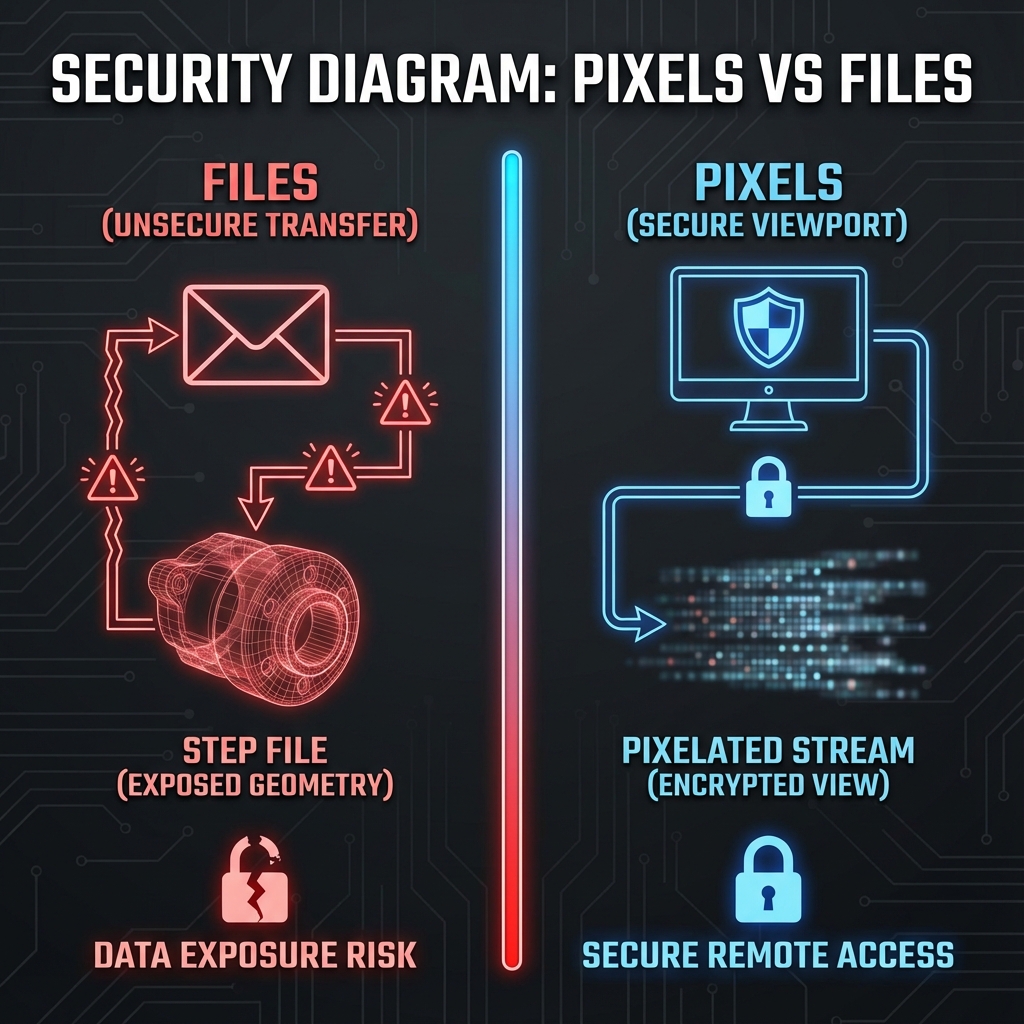
You need to show a design to a potential customer. The natural instinct is to email the STEP file. Don't.
That file contains the complete mathematical definition of your product—every curve, dimension, and design decision. Once it's downloaded, you've lost control of your intellectual property forever.
What's Actually in a STEP File
A STEP file (ISO 10303) isn't just geometry. It contains:
- Full NURBS geometry: Mathematical surface definitions with infinite precision
- Topology: How surfaces connect, edge relationships, face orientation
- Assembly structure: Part hierarchy, component relationships
- Metadata: Part names often reveal material choices (e.g., "HOUSING_6061_AL")
- PMI data: In some formats, dimensions, tolerances, and GD&T annotations
With this data, a competent engineer can reproduce your exact geometry, reverse-engineer your manufacturing approach from draft angles and fillet strategies, or modify dimensions slightly for a design-around.
The "Pixels, Not Files" Approach
The solution is architectural: never share the source file. Send rendered pixels instead.
| Sharing Method | What They Receive | Reverse Engineering Risk |
|---|---|---|
| Email STEP/IGES file | Full geometry + metadata | Very high (easy) |
| Download OBJ/STL | Tessellated mesh | High (mesh-to-NURBS tools exist) |
| Screenshot/PNG | 2D image, single viewpoint | Low (limited info) |
| Interactive Viewport | Streamed pixels, all angles | Lower (view-only pixels) |
What to Look For in a Secure Viewer
- No download option: The viewer should not export any 3D format
- Link expiration: Set time limits (24 hours to 90 days)
- Access logging: Know who viewed the model and when
- Watermarking: Visible identifier on screenshots to trace leaks
- Password protection: Additional layer for sensitive projects
Threat Model: What This Doesn't Prevent
- Screenshots and screen recording: Pixels can still leak (use watermarks + access logging)
- Manual re-modeling: A determined attacker can still recreate geometry from visuals (time-consuming, less precise)
- Manufacturing workflows: If someone must machine parts, they eventually need geometry—share it only after the right agreements
- Legal obligations: View-only sharing reduces risk, but doesn’t replace NDAs, contracts, or export-control review
Enterprise: Zero-Retention Processing
For highly sensitive IP (defense, medical devices, unreleased products), even trusting the platform with your data may be a concern. Zero-retention processing means:
- Source file loaded into server RAM only
- Processing happens in memory
- No file written to disk
- Session ends → RAM cleared → no trace remains
Common Sharing Failures (And How to Avoid Them)
We've seen these IP leaks happen repeatedly:
Failure: Emailing STEP via Dropbox
"I'll just put it in Dropbox and send the link." That link has no expiration. The supplier downloads it, then shares it with their subcontractor. You've lost control.
Failure: Viewer with Download Button
Some 3D viewers let recipients download OBJ/STEP. Even if they "promise not to," the button exists. Assume they'll click it.
Failure: Wrong Supplier Saw the Model
You sent a link to Supplier A. They forwarded it to Supplier B. You had no visibility. Next quarter, Supplier B is selling a knockoff.
Compliance Considerations: ITAR, NDA, Export Control
For defense contractors, medical device manufacturers, and other regulated industries:
- ITAR (International Traffic in Arms Regulations): Can restrict who can access technical data and where it can be hosted—validate requirements with counsel and your compliance team.
- EAR (Export Administration Regulations): Similar controls for dual-use technology; logging can help demonstrate chain of custody.
- NDA Enforcement: Pixels-not-files doesn’t replace an NDA, but it can reduce the risk of geometry extraction from the sharing channel.
- Vendor Qualification: Before sharing with contract manufacturers, use view-only links. Full geometry only after signed agreements.
Reific's Security Model
Key Takeaways
- ✓STEP files contain complete IP—never email them to external parties
- ✓Interactive viewports provide high fidelity without exposing geometry
- ✓Look for expiration, logging, and zero-download features in any sharing tool
- ✓For sensitive IP, require zero-retention processing
FAQ
Can someone screen-record the viewer and extract geometry?
They would get pixel data only—no CAD file. Reconstructing precise NURBS geometry from video is generally impractical, but screenshots can still leak appearance details.
Is this as good as an NDA?
It’s complementary. An NDA creates legal recourse; pixels-not-files reduces the chance of geometry leaking through sharing. Use both.
What about OBJ or STL for 3D printing customers?
If they need to manufacture, they need geometry. Use view-only links for review; export mesh only after commercial agreement.
Give them the view. Keep the file.
Reific is built around pixels-not-files: expiring links, access logs, and view-only sharing by default.
Start Sharing Securely